
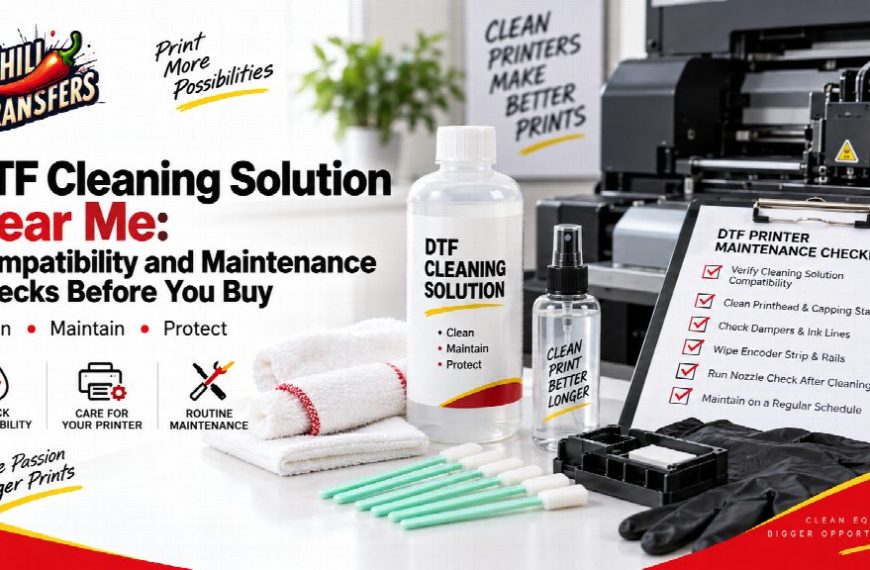
A DTF cleaning solution should be selected for the printer and ink system being serviced, not simply because the bottle is labeled for DTF use. Before buying a cleaning product, identify the printer, review the equipment maintenance instructions, confirm the intended cleaning procedure, and make sure the solution is appropriate for that system.
A dedicated DTF printhead cleaning solution should be treated as one maintenance tool, not as a universal fix for every print-quality problem.
Diagnose the Problem Before Reaching for Cleaner
Missing nozzle output, unexpected lines, gaps, changes in ink flow, or visible residue can indicate that maintenance is needed. Those symptoms can also have more than one cause.
Before using cleaning solution, record what the printer is doing. Check the normal diagnostic information provided by the equipment and follow the manufacturer’s maintenance procedure. Repeatedly applying cleaning fluid without identifying the problem can turn troubleshooting into guesswork.
The goal is controlled maintenance: observe the symptom, confirm the approved procedure, and then use the appropriate tool.
Confirm the Printer and Ink System
Cleaning products interact with equipment that may contain sensitive printhead components, ink lines, dampers, caps, and other maintenance parts. Different machines and ink systems can require different procedures.
Write down the printer model and current ink setup before buying. If the machine has been modified or converted, do not assume that its original model name describes the current maintenance requirements.
Compatibility should come from the actual system and its instructions, not from a generic online statement that one liquid works for every DTF printer.
Know Where the Cleaning Product Fits in the Procedure
“Cleaning a printer” can describe several different tasks. An operator may be maintaining a printhead area, wiping an approved surface, servicing a cap or maintenance station, or following another procedure specified by the equipment manufacturer.
Do not improvise a method simply because cleaning fluid is available. Applying liquid directly to sensitive components, forcing fluid through a system, removing parts, or using unapproved tools should never be treated as universal maintenance steps.
Follow the service procedure for the exact task being performed.
Do Not Mix DTF and UV DTF Maintenance Assumptions
Apparel DTF and UV DTF are different production systems. Cleaning products should not be assumed to be interchangeable because both workflows contain the letters “DTF.”
If a shop operates both systems, keep cleaning products and maintenance tools clearly identified. The purchasing record should make it easy for an operator to see which printer or process a solution is intended to support.
Cleaning Solution Is Only One Part of the Maintenance Setup
A controlled maintenance area may also require clean wiping materials, swabs, or other tools approved for the equipment. The exact combination depends on the printer and the maintenance procedure.
When organizing a workstation, review the wider range of printer cleaning supplies only after identifying what the equipment instructions actually call for. Buying extra tools does not replace knowing how and where they should be used.
Avoid Fixed Cleaning Schedules That Ignore the Printer
There is no single maintenance frequency that fits every DTF printer. Production volume, idle time, printer design, ink system, operating environment, and equipment guidance can all affect when maintenance is needed.
A shop should therefore follow the schedule associated with its equipment and respond to confirmed diagnostic or print-quality issues. A rigid rule copied from another shop may lead to unnecessary cleaning or may fail to address the maintenance needs of your own machine.
Keep Maintenance Records Simple
A short record can make recurring problems much easier to evaluate. Note the date, printer, observed symptom, maintenance action, product used, and whether the issue changed afterward.
This information helps a team distinguish a one-time event from a repeated pattern. It can also prevent multiple operators from performing the same maintenance action without knowing what was already tried.
Use a Buying Checklist
- Identify the exact printer and current ink configuration.
- Review the equipment maintenance instructions.
- Define the maintenance task you are trying to perform.
- Confirm that the solution is appropriate for the system.
- Identify any approved wipes, swabs, or other tools required.
- Keep apparel DTF and UV DTF maintenance supplies separate.
- Document maintenance instead of repeating unverified cleaning steps.
Buy the Product That Fits the Procedure
The best cleaning-solution decision begins with the printer. A bottle should enter the maintenance workflow only after the team knows what needs to be cleaned, which procedure applies, and which product is appropriate for the machine and ink system.
That compatibility-first approach reduces unnecessary experimentation. It also keeps maintenance focused on diagnosis and approved procedures rather than treating cleaning solution as the automatic answer whenever print output changes.


