
You need a way to turn text into audio that sounds like a real person. Recording your own voice takes time and expensive equipment. Using a modern text to speech tool allows you to create high quality audio in seconds. These tools have improved so much that most listeners cannot tell the difference between a machine and a human.
If you are looking for a way to scale your content, you should try a free ai voice generator no limit option. This allows you to test different voices and styles without worrying about strict credit limits. Finding the right software depends on your specific needs for speed, tone, and language support.
1. Decopy AI
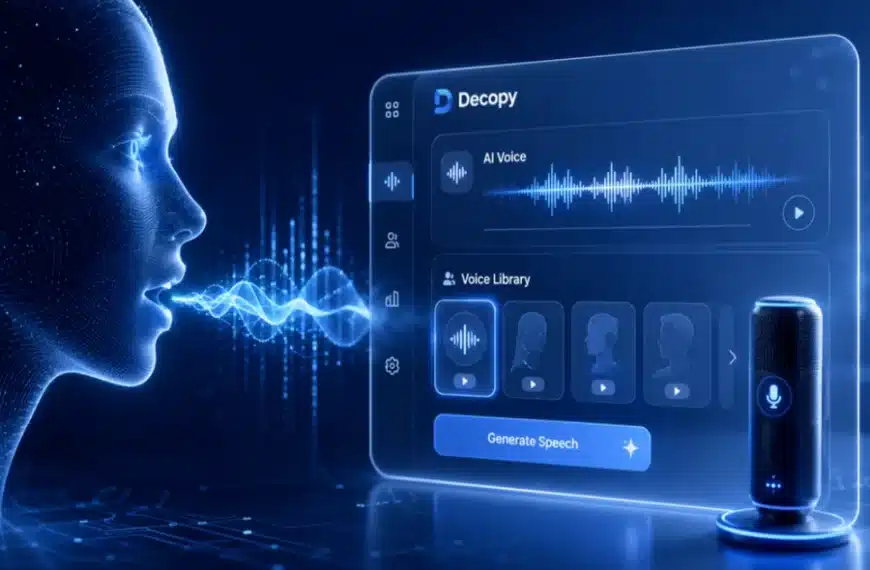
Decopy AI is a powerful platform designed for creators who need high quality audio quickly. It uses advanced neural networks to produce voices that carry natural emotion and rhythm. You can choose from a wide variety of accents and styles to match your brand voice. The interface is simple and allows you to generate audio with just a few clicks.
Key Features:
– Large library of natural sounding voices.
– Support for multiple global languages.
– Real time audio generation.
– Simple text editor for easy adjustments.
Pros:
– Very easy to use for beginners.
– High quality output that sounds human.
– Fast processing times for long scripts.
Cons:
– Requires an internet connection to function.
– Some advanced features are behind a paywall.
Best For: Content creators and social media managers who need fast and reliable audio.
2. ElevenLabs
ElevenLabs has become a leader in the industry due to its focus on emotional range. The software can mimic the subtle nuances of human speech, such as pauses and breaths. This makes it a favorite for people who create audiobooks or long form storytelling. The voice cloning feature is also very accurate, allowing you to create a digital version of your own voice.
Key Features:
– Advanced voice cloning technology.
– Deep emotional control for every sentence.
– High fidelity audio exports.
– API access for developers.
Pros:
– Most realistic voices available today.
– Great for long form content.
– Simple pricing for different user levels.
Cons:
– Can be more expensive than other options.
– The voice cloning requires high quality samples.
Best For: Authors and filmmakers who need the highest level of realism.
3. Murf AI
Murf AI is built for professionals who want to create studio quality voiceovers without a studio. It provides a full suite of editing tools that let you sync your audio with video directly in the app. You can adjust the pitch, speed, and emphasis of specific words to get the perfect delivery. It is a great tool for teams working on corporate projects.
Key Features:
– Built in video editor for syncing.
– Huge selection of professional voices.
– Ability to upload your own recordings for editing.
– Team collaboration features.
Pros:
– Excellent for corporate presentations.
– Includes a library of background music.
– Very precise control over voice settings.
Cons:
– The learning curve is a bit higher than simple tools.
– Some voices sound better than others in the library.
Best For: Corporate trainers and marketing teams.
4. Play.ht
Play.ht offers one of the largest libraries of AI voices on the market. It integrates with many different platforms, making it a versatile choice for web developers and bloggers. You can use it to turn your blog posts into podcasts automatically. The platform supports hundreds of languages and dialects, which is perfect for reaching a global audience.
Key Features:
– Over 900 different voices to choose from.
– Integration with WordPress and other CMS.
– Custom pronunciations for technical terms.
– High speed API for real time applications.
Pros:
– Massive variety of accents and languages.
– Easy to embed audio players on websites.
– Good balance of price and features.
Cons:
– The interface can feel cluttered at times.
– Finding the best voice takes time because there are so many.
Best For: Bloggers and website owners who want to offer audio versions of their content.
5. Lovo.ai
Lovo.ai, through its Genny platform, focuses on providing voices that are ready for marketing and advertisements. The tool includes features for generating images and scripts, making it a more complete content creation suite. The voices are categorized by use case, such as education, entertainment, or news, which helps you find the right fit quickly.
Key Features:
– Use case categories for easy voice selection.
– Integrated AI script writer.
– Support for emotional cues in speech.
– High resolution audio downloads.
Pros:
– Very fast workflow for marketing videos.
– Includes non-voice AI tools like image generation.
– Good selection of character voices.
Cons:
– The export process can be slow for large files.
– Some of the character voices sound a bit robotic.
Best For: Marketing agencies and small business owners.
6. Speechify
Speechify started as an accessibility tool to help people with dyslexia, but it has grown into a powerful voice generator. It is known for its mobile app and browser extension, which can read any text on your screen out loud. The voices are clear and can be played at very high speeds, which is great for people who want to consume information quickly.
Key Features:
– Optical character recognition for reading images.
– High speed playback options up to 4.5x.
– Syncing across mobile and desktop devices.
– Natural sounding celebrity voices.
Pros:
– Best mobile experience in the category.
– Very helpful for students and busy professionals.
– Reads PDFs and emails with ease.
Cons:
– The premium version is quite expensive.
– Not as focused on creative voiceover production.
Best For: Students and professionals who need to read a lot of documents.
7. WellSaid Labs
WellSaid Labs focuses on high quality audio for enterprise clients. They do not have thousands of voices, but the ones they do have are polished and professional. This tool is ideal for companies that need a consistent brand voice across all their training materials and internal communications. The quality is consistent and requires very little editing.
Key Features:
– Studio quality audio output.
– Custom voice avatars for brands.
– Simple collaboration tools for teams.
– High security standards for data.
Pros:
– Extremely consistent voice quality.
– Very professional sounding results.
– Easy to manage for large organizations.
Cons:
– Limited number of voices compared to competitors.
– Fewer language options available.
Best For: Large companies and professional production houses.
8. Amazon Polly
Amazon Polly is a cloud based service that turns text into lifelike speech. It is part of the Amazon Web Services ecosystem, which makes it a very reliable choice for developers. It uses advanced deep learning technologies to synthesize speech that sounds like a human voice. It is very cost effective because you only pay for what you use.
Key Features:
– Neural and standard text to speech options.
– Support for lexicons to customize pronunciation.
– Low latency for real time applications.
– Wide range of languages and accents.
Pros:
– Very affordable for high volume users.
– Highly scalable for apps and websites.
– Reliable uptime and performance.
Cons:
– Requires technical knowledge to set up.
– No built in video or audio editor.
Best For: Software developers and technical teams.
9. Google Cloud Text-to-Speech
Google offers a powerful tool that uses the same technology found in Google Assistant. It provides a wide array of voices, including those built with WaveNet technology, which are known for their natural sound. This service is ideal for businesses that already use Google Cloud and need a dependable way to add audio to their products.
Key Features:
– Over 220 voices across 40 plus languages.
– WaveNet technology for superior audio quality.
– Easy integration with other Google services.
– Detailed control over pitch and speaking rate.
Pros:
– Excellent global language support.
– Very high reliability and speed.
– Competitive pricing for developers.
Cons:
– Not designed for non-technical users.
– Lacks a creative interface for voiceover editing.
Best For: Global enterprises and app developers.
10. Azure Cognitive Services
Microsoft Azure provides a comprehensive text to speech service that is highly customizable. It allows businesses to create unique custom voices that represent their brand perfectly. The platform is built with security and privacy in mind, making it a top choice for sensitive industries like finance and healthcare.
Key Features:
– Custom neural voice creation.
– Fine grained control over speech styles.
– Secure and compliant cloud infrastructure.
– Real time synthesis for chatbots.
Pros:
– Best for creating a unique brand identity.
– High level of security and data privacy.
– Great for interactive voice response systems.
Cons:
– The setup process is complex.
– Can be expensive for custom voice projects.
Best For: Large scale businesses needing custom voice solutions.
Comparison Summary
| Tool | Best For | Primary Strength |
| Decopy AI | Content Creators | Ease of use and speed |
| ElevenLabs | Audiobooks | Emotional realism |
| Murf AI | Corporate Videos | Built in video editing |
| Play.ht | Bloggers | Massive voice library |
| Lovo.ai | Marketing | All in one creative suite |
| Speechify | Productivity | Mobile reading and speed |
| WellSaid Labs | Enterprise | Professional consistency |
| Amazon Polly | Developers | Scalability and low cost |
| Google Cloud | Global Apps | Language variety |
| Azure | Custom Branding | Security and custom voices |
Final Recommendation
Choosing the best tool depends on what you plan to create. If you are a content creator who needs high quality audio quickly, Decopy AI is an excellent choice for its simplicity and realistic output. For those who need deep emotional range for storytelling, ElevenLabs remains a top contender.
If you are a developer looking to integrate audio into an app, Amazon Polly or Google Cloud offer the best scalability. For large companies that want a specific voice for their brand, WellSaid Labs or Azure provide the professional tools needed for consistency. Most of these platforms offer free trials, so you should test a few to see which voice fits your project best. High quality audio is now accessible to everyone, so you can start creating professional content today without a big budget.


