
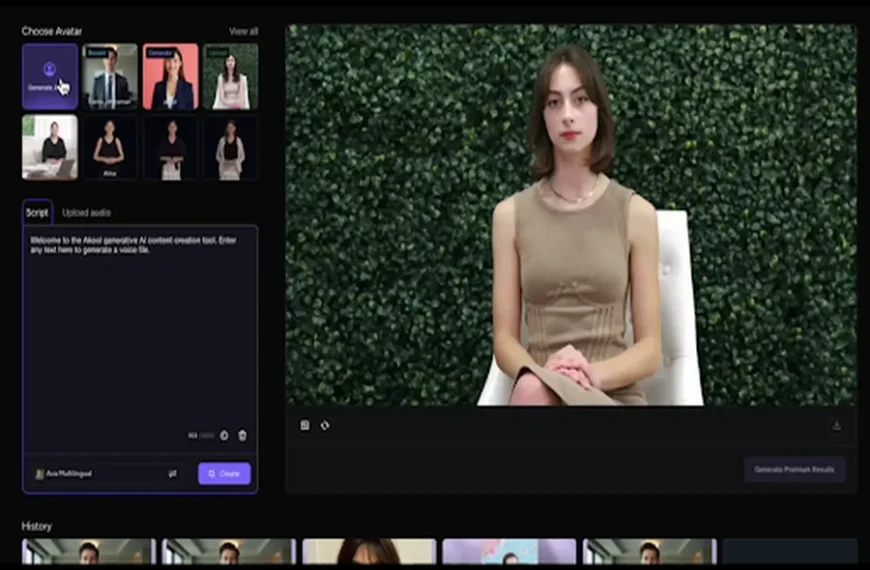
Putting a person on camera is the hardest part of making video. You need a presenter, a quiet room, decent lighting, and the patience to retake a line until it sounds right. For teachers, solo founders and small marketing teams, that overhead often means the video simply never gets made. Digital presenters offer a different path, one where a script and a face are all you need to produce a clean, consistent clip.
This article explains what an AI avatar generator does, where it saves the most time, and how to build an avatar that viewers will actually trust. You will also find a simple workflow to follow from script to finished video, along with a short list of mistakes to avoid. The goal is to help you decide where avatars fit into your own content plan, not to sell you on using them everywhere.
What an AI Avatar Generator Actually Does
At its core, an AI avatar generator turns a photo, a short recording or a preset character into a digital presenter that can speak your script. The system animates the face, matches mouth movement to the audio, and adds natural head and eye motion so the result does not feel frozen. You write the words, choose a voice, and receive a video without ever setting up a camera.
There are two broad types. Stock avatars are ready-made presenters you can pick from a library, which is the fastest option for one-off projects. Custom avatars are built from your own image or footage, which makes them better for brands and creators who want the same recognizable face across every video.
Why the Format Works
People respond to faces. A video with a visible speaker holds attention longer than slides with a voiceover, and it feels more personal than text. Avatars keep that human element while removing the logistics of filming, which is why they have spread so quickly through training, support and social content.
Where Avatars Save the Most Time
Not every project benefits equally. The biggest gains show up where content is repetitive, needs frequent updates, or has to exist in several languages.
Training and Education
Course creators and internal trainers often rewrite lessons as policies or products change. With a filmed presenter, a single sentence edit can mean a full reshoot. With an avatar, you change the script and regenerate. This makes it realistic to keep onboarding material current without scheduling studio time.
Marketing and Social Content
Short product explainers, announcement clips and weekly updates all fit well. A small team can produce a batch of videos in an afternoon, then test different hooks or calls to action without much extra effort. Consistency is the quiet advantage here, since the presenter looks and sounds the same every time.
Customer Support and Onboarding
Walkthrough videos for common questions reduce repetitive support tickets. A friendly presenter explaining a setup step is often clearer than a block of text, and it can be reused in help centers, emails and in-app messages.
Building an Avatar People Will Trust
Viewers are quick to notice when something feels artificial, so a few design choices matter more than any feature list. Start with the face. If you are creating a custom avatar, use a sharp, evenly lit photo with a neutral expression and the face fully visible. A poor source image produces a poor avatar, no matter how advanced the tool is.
Next, think about voice. A voice that fits the avatar’s apparent age and personality will always feel more natural than a mismatched pairing. Listen to your script out loud before generating, and trim any sentence you would stumble over in conversation. Written text tends to be denser than speech, so shorter sentences almost always improve delivery.
Finally, be honest about what the video is. Many audiences are comfortable with digital presenters when they know what they are watching. A short line in the description or an on-screen label builds more trust than trying to pass the avatar off as a real person.
A Simple Workflow From Script to Video
A repeatable process keeps quality steady as you produce more content. This sequence works for most teams and takes little time once it becomes a habit.
- Write a script in spoken language, with one idea per sentence
- Choose or create the avatar that matches the audience and tone
- Select a voice and language, then preview a few lines
- Generate the full video and watch it from start to finish
- Add captions, background and branding in your usual editor
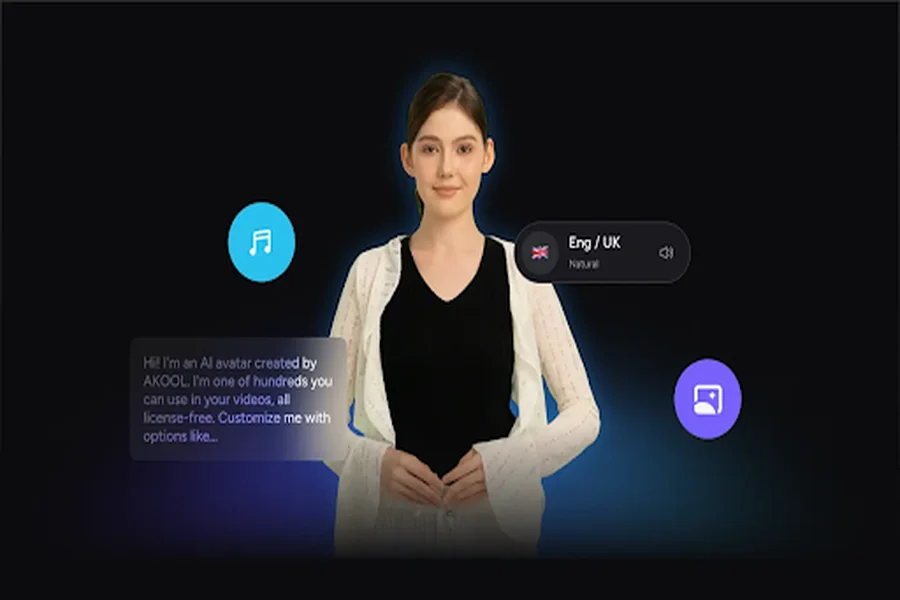
The preview step is easy to skip and worth keeping. Hearing a few lines first reveals awkward pronunciations of product names or technical terms, which are much cheaper to fix before the full render. Platforms such as AKOOL let you adjust these details without starting over, so a short test pays for itself quickly.
Mistakes That Weaken the Result
The most common problem is overloading the video. A presenter reading a long script without visual variety becomes tiring, so cut away to screenshots, diagrams or short clips every few sentences. The second problem is ignoring context. A cheerful presenter explaining a serious account issue feels tone-deaf, so match the avatar’s style to the subject.
Another frequent error is skipping review. Always watch the final output with sound on, checking that lip movement lines up and that names and numbers are pronounced correctly. A quick pass catches almost everything, and it protects your credibility with viewers who may not forgive repeated small slips.
Let the Avatar Handle the Camera Work
Digital presenters will not replace every filmed video, and they should not. They do, however, remove a real barrier for anyone who needs clear, repeatable video without a studio. Use them where content changes often, where consistency matters, or where multiple languages are involved, and keep live footage for moments that need real personality.
Begin with one small project, such as a short product walkthrough or a weekly update. Follow the workflow, review the output carefully, and note what your audience responds to. With a few rounds of practice, you will have a dependable way to turn ideas into video without waiting for the perfect filming day.


