
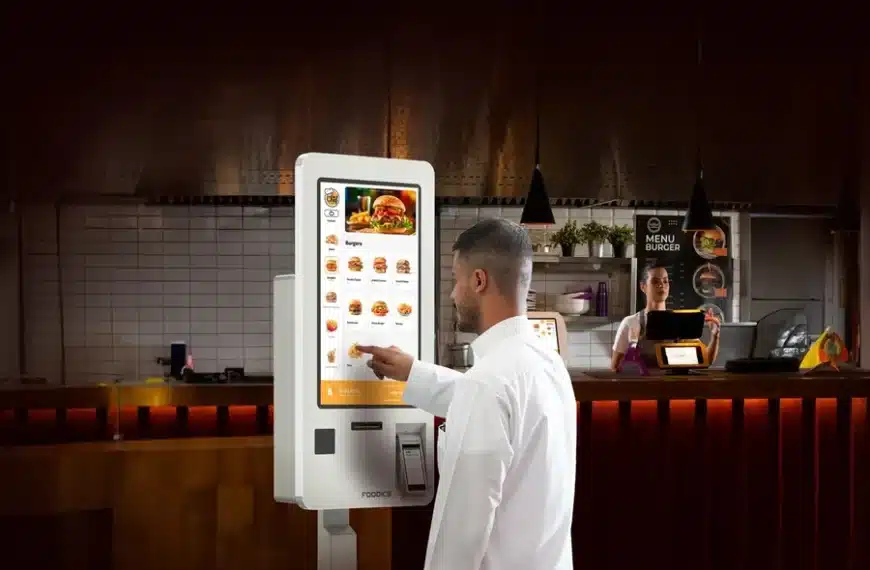
Running a busy counter or dining area means long lines, missed orders, and staff stretched thin. When customers wait or orders are wrong, you lose sales and repeat visits. A well-designed kiosk ordering system puts ordering in the hands of customers, shortens queues, and frees staff to focus on food and service.
Hashmato reports that kiosks can raise average order value through built-in upsell prompts, cut wait times, and reduce errors by capturing customer choices directly.
In this blog, we’ll explain what kiosk ordering does for daily operations, show the main ways it speeds service and improves order accuracy, list the practical features you will use, and give a short rollout checklist you can follow to test kiosks safely in your operation.
What A Kiosk Ordering System Actually Is
A kiosk ordering system is a customer-facing touchscreen terminal or tablet that lets guests browse the menu, place orders, and pay without a cashier. It links to your point of sale and kitchen systems so orders flow straight to preparation stations and inventory updates in real time. That single flow eliminates paper handoffs and manual rekeying, which cause mistakes and delays.
How Kiosks Speed Service
Kiosks reduce friction at multiple points of the guest journey. Key mechanisms you will notice on shift:
- Multiple customers can place orders at once, which spreads demand during peaks and shortens the visible queue length.
- Kiosks allow guests to place orders at their own pace, reducing the time per customer at crowded counters.
- Orders sent directly to the kitchen display system eliminate the need for staff to re-enter items, saving seconds per order that add up across a day.
These improvements translate into higher throughput during rush periods and a smoother flow from order to pickup or table service.
How Kiosks Improve Order Accuracy
Accuracy improves because the customer chooses exact items, customizations, and modifiers using a visual menu. That removes verbal miscommunication and manual transcription errors that happen at busy counters. Practical accuracy gains include:
- Exact modifiers (no onions, extra cheese) were recorded at the time of order.
- Fewer voids and less time spent correcting tickets during service.
As customers interact directly with the interface, your kitchen receives clearer, more consistent instructions.
How Kiosks Affect Customer Experience
Kiosks change the customer experience in ways that matter to repeat business:
- Faster pickups and shorter lines increase satisfaction.
- Built-in upsell prompts (combos, add-ons) let customers discover options they might otherwise miss, often raising average order value. Hashmato notes that the average order value can grow by 15 to 30 percent with good upsell placement.
- Contactless payments and minimal contact touchpoints support guest comfort in health-sensitive contexts.
Overall, kiosks give guests control over ordering while keeping the experience quick and consistent.
Key Features You Will Use
- Intuitive touchscreen interface for fast item selection and modifiers.
- Customizable menu screens with combo and promotional slots to drive add-ons.
- Multi-language support to serve diverse guest groups.
- Real-time sync with POS and inventory, so stock levels update automatically.
- Built in upsell and recommendation logic to increase ticket size.
- Kiosk to KDS routing so the correct station gets the right ticket immediately.
- Touchless payment options for contact-free checkout.
Those items represent the everyday tools your team will rely on to keep service moving.
Where Kiosks Fit Across Different Operations
You can adapt kiosks to many outlet types. Use these short scenarios to picture how one would work for you:
- Restaurants (single outlet to franchises): Offer self-ordering at a lobby kiosk for both takeaway and dine-in orders to reduce cashier queues. Kiosks can mirror your menu and promotions, ensuring consistent pricing across all channels.
- Retail boutiques to supermarkets: Place kiosks for quick pick-up orders, prepayment, or product lookup to reduce checkout lines.
- Hospitals and healthcare food services: Use kiosks for staff and patient meal selection with dietary filters and accurate meal counts for billing and nutrition records.
- Institutional catering for schools and universities: Kiosks handle bulk student orders, reduce cafeteria queues, and speed tray assembly or pickup flows.
Measuring ROI and Performance Metrics
Track these signals after launch to see whether kiosks meet your goals:
- Average order value change. Many operators see a measurable lift due to upsells.
- Queue length and average wait time during peak hours.
- Order error rate compared with manual cashier orders.
- Labor allocation: how many staff hours are saved from reduced cashier demand?
- Inventory variance and stockouts after real-time syncing.
Hashmato customer references and product materials report payback within the first year for many clients through increased sales and reduced labor spend.
Simple Rollout Checklist For A Smooth Pilot
- Pick a low-risk location and map the customer journey from entry to pickup.
- Confirm POS and kitchen display integration so orders route correctly.
- Configure menu visuals, modifiers, and upsell prompts that match your busiest items.
- Run staff training on kiosk troubleshooting and guest guidance scripts.
- Test offline behavior and payment workflows to make sure transactions complete during intermittent network issues.
A short pilot will reveal usability snags and let you refine the layout and flows before site-by-site rollout.
Common Implementation Questions
- How long will setup take? Does it interrupt service? Implementation typically takes 2 to 4 weeks, including hardware setup, software integration, and staff training. That timeframe aims to keep disruption minimal.
- Will the kiosk work with my POS? Most modern kiosk solutions integrate with POS and inventory via API or built-in connectors so your systems stay in sync.
- Who provides support? Many vendors offer ongoing support and software updates, and can provide training resources to help staff adapt. Ask about support hours and response SLAs before you sign.
Final Notes
If your priorities are faster throughput, fewer mistakes, and a clearer guest experience, a kiosk can deliver measurable gains. Focus on a pilot that tests the busiest periods, confirm integration with your POS and inventory, and tune upsell placements so customers see relevant add-ons at checkout. Hashmato’s self-ordering kiosk materials highlight the practical benefits you will see in operations and sales when the system is set up correctly.
When comparing vendors, look for clear examples of outcomes (AOV lift, wait time reduction), a list of supported integrations, and a plan for staff training and ongoing support. A short trial at one location will tell you whether a kiosk ordering system fits your operation and customer base.


