

A client opens a review link and approves version two. At almost the same moment, an editor exports version three after making changes from a separate message thread. Both people have done what they thought was right, yet the project now has two “approved” cuts. This is not mainly a storage problem. It is a workflow problem: nobody can see one clear path from source footage to final delivery.
Remote video production adds more places for that path to split. Camera files may arrive through a personal drive, project files may live on an editor’s computer, and comments may be scattered across email, chat and a review platform. Buying more cloud storage does not remove the confusion. A better system gives each file a role, each person the access they need and each decision one visible home.
Give the project one owner and one working home
Before anyone uploads footage, decide who owns the working space. For an agency, that will usually be an organisation-controlled account rather than a freelancer’s personal drive. The owner does not need to make every creative choice. The role is operational: create the folders, invite the right people, settle naming rules and confirm which version moves forward.
This matters most when a contributor leaves midway through a project. If the only complete folder belongs to that person, the team may lose access or spend days reconstructing what was shared. An organisation-owned workspace keeps the project available while individual access can be changed. It also makes the closeout much simpler because there is one place to archive, retain or delete material.
A useful naming rule should answer questions, not display creativity. A filename such as campaign-product-rough-v03-2026-09-17 identifies the project, deliverable, stage, version and date. Terms such as “latest”, “new final” and “final final” stop being useful as soon as two people use them.
Separate files by what the team can do with them
Source footage, proxy media, editing project files, review exports and approved masters are not interchangeable. Source footage is the original record and should not be casually replaced. Proxies are lighter working copies. Project files contain the edit decisions but may depend on fonts, graphics or plug-ins. Review exports are meant for comments, while approved masters are the files cleared for delivery.
Keeping those categories separate reduces a common mistake: treating a convenient file as the authoritative one. A compressed review copy should not become the master sent to a broadcaster or paid-media platform. A project file without its linked assets is not a useful archive. The folder structure should make the correct choice obvious even to someone who joins late.
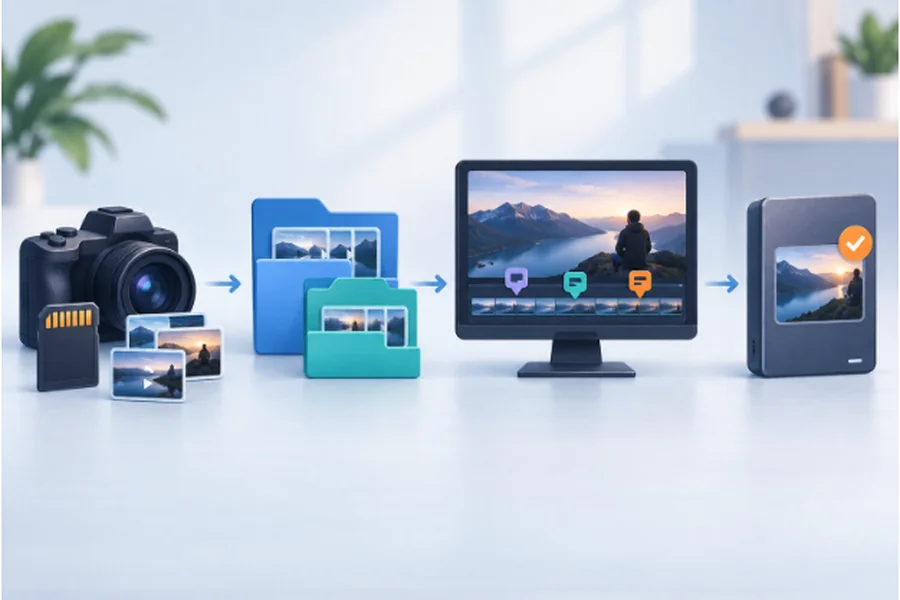
Once those categories are in place, a large project may also need a short written inventory: file group, location, owner, status and retention decision. This is not paperwork for its own sake. It shows what the team has and which assets would be difficult to replace.
Put review comments where the frame is visible
Feedback becomes expensive when the editor has to interpret “change the shot near the middle” or compare comments across three channels. Choose one review location and ask reviewers to refer to a timecode or visible frame. If a client sends a decision through email, move that decision into the review record rather than expecting the editor to remember both places.
The review link should also show a clear version label. Replacing the media behind an old link can be convenient, but only if the platform preserves the earlier discussion and makes the change visible. Otherwise, issue a fresh link and close the previous round. A comment history loses much of its value when nobody can tell which cut was on screen.
Match access to the job, not the person’s seniority
A client normally needs to watch and comment. That does not mean the client needs access to raw interviews, internal notes or every brand asset in the working folder. Similarly, a colourist may need high-resolution media without needing invoices or campaign strategy. Access should follow the task and should expire when that task ends.
The editing computer deserves the same deliberate setup. On a company-managed workstation, a VPN for Windows can form part of the connection setup alongside operating-system updates, disk encryption and separate user accounts. These controls solve different problems. A VPN creates an encrypted route to its server; it does not decide who may open a folder or recover an overwritten sequence.
Use individual accounts rather than one shared password. Turn on multi-factor authentication where the service supports it, and remove access when a freelancer’s work is complete. These steps create a cleaner record of who did what and limit the damage if one password is exposed.
Treat hotel and coworking Wi-Fi as a connection issue
Remote editors sometimes have to upload a review cut away from their usual office. On a hotel or coworking network, a free VPN can add a layer of privacy to that connection. It cannot correct a public review link, prevent a teammate from downloading the wrong export or replace the company’s access rules. Those remain workflow and permission problems.
Before a large transfer, confirm that the network is the one you intended to join, disable unnecessary local sharing and check whether the upload completed before closing the laptop. For sensitive client work, follow the client’s or employer’s approved connection policy. A personal tool should never be used to work around a required corporate system.
Close the project as carefully as you opened it
Approval is not the same as closeout. The team still needs to identify the final masters, collect licences and project notes, confirm what must be retained and revoke temporary access. Client review links may need an expiry date. Local downloads on borrowed or temporary devices may need to be removed after the central copy has been checked.
A controlled video workflow is not built from one perfect platform. It comes from a few decisions that stay consistent: one working home, distinct file roles, one review record and access that ends with the job. When those decisions are visible, remote collaboration stops depending on memory—and “final” can mean the same thing to everyone.


