
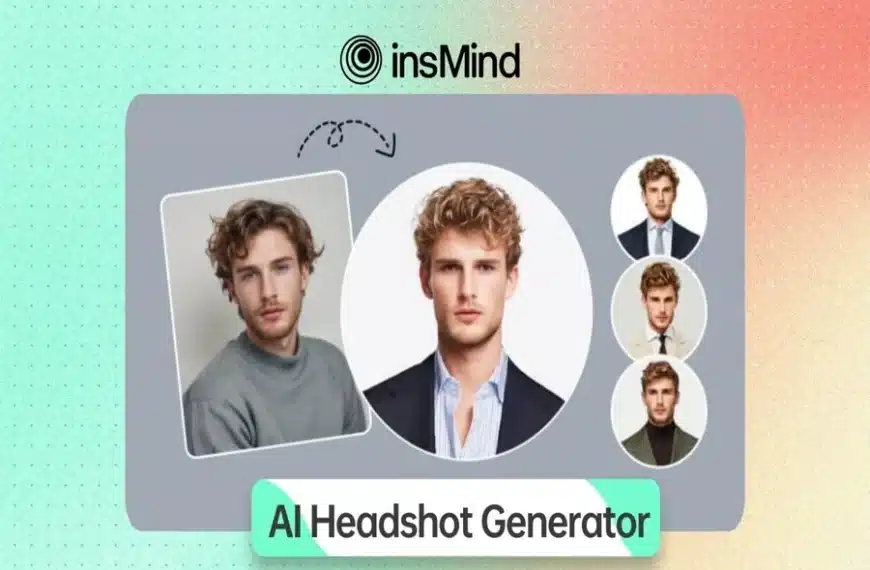
Your online presence depends on your professional profile, whether it is your LinkedIn profile or resume photos. High-quality headshots reflect your professionalism, but hiring a skilled photographer can be expensive and time-consuming. Therefore, AI technology offers affordable and premium-quality realistic images.
Therefore, if you want to know how to create an AI headshot, this article will introduce you to a highly efficient tool. Plus, this guide will walk you through a detailed step-by-step guide to get professional headshots with an AI headshot generator.
Part1. Craft Highly Professional Headshots Via the insMind AI Headshot Generator
One of the most powerful tools is insMind, which comes with the best AI headshot generator to create perfect profile pictures. It helps to choose a gender, like men or women, with different filters, such as office, study, blue, street, and more, according to your preference. If you want to produce multiple headshots, you can use its Re-upload button, which saves you from repeating the process.
Moreover, its unique comparison feature lets you see the before and after results of the photo to see if the generated image is valuable. Once you know how to generate an AI headshot, you can use the edit more feature to enhance, expand, and resize the image. Additionally, you can download your photos in standard quality or ultra HD quality, according to your choice.
Part 2. Learn How to Create a Professional Headshot Using insMind
If you want to learn how to generate a professional photo with InsMind’s AI headshot generator, these guidelines can assist you with that:
Step 1. Access the insMind AI Headshot Generator
To initiate the process of creating your headshot, go to the InsMind AI Headshot Maker on your browser. After that, click the “Upload a Photo” button from the main interface to select the picture from your device.
Step 2. Choose the Style Before Taping Generate
When the image is uploaded, choose the style from the “Men” and “Women” tabs on the right side of the window. After choosing, hit the “Generate” button to start creating an AI headshot.
Step 3. Download the AI-Generated Headshot
Once the AI headshot is generated, select the quality from the “Download Ultra HD” or “Download Standard” button to save your professional headshot.
Part 3. How InsMind’s AI Headshot Generator Can Benefit You?
As learned above, you can easily create a professional headshot effortlessly. Now, explore the given benefits of using an AI headshot maker to know more about it:
- Profile Pictures: These headshots help to improve your status and increase valuable connections for LinkedIn, company websites, or your resume to create a strong impression.
- Resumes & Job Applications: insMind’s AI headshot generator lets you create professional, refined photos that assist you in making a good impression on employers.
- Business Websites & Personal Branding: With this AI headshot creator, you can maintain your online professional presence on Twitter, Facebook, or the brand’s websites to engage with audiences.
- Diverse AI Headshot Styles & Scenarios: This generator offers different styles, including professional headshots, cartoons, sketches, and art for both males and females for polished and premium-quality headshots.
Part 4. Exploring More insMind Features That Make it Worth Choosing
After discovering how an AI headshot generator is valuable for daily tasks, let’s take a look at other useful AI-powered features of insMind:
1. Avatar Maker
AI avatar maker helps to create highly realistic professional avatars for your gaming accounts and social media profiles with anime, 3D designs, and other styles of sketches. It provides fast processing; you can regenerate the different styles in just a single click.
2. Profile Picture Maker
This feature produces captivating profile pictures with various templates like magazine covers, photography, dating profiles, and so on. You can also change the background and size of the profile according to your needs.
3. AI Character Generator
With this AI character generator, you can turn your photos with different designs into characters. You just write the description of your desired character and consider various models such as union, redraw, and depth to create your AI character.
4. AI Filter
Users can transform their images into different art forms, including sketches, cartoons, art, and paintings, with a single click. Moreover, this AI feature is accessible on all devices, like iPhones and Androids, to help you enhance your images on the go.
Conclusion
To wrap up, generating professional headshots is a necessity for today’s people, and creating photos with AI tools is becoming a popular alternative to traditional photography services. This article has provided a detailed guide on creating a professional headshot with InsMind’s AI headshot generator. So, explore other InsMind features mentioned above to improve your photo editing experience.


